 The Math App
Do the math. Skip the rewriting.
The Math App lets you work through a problem step by step without copying every term by hand. Fewer mistakes, less time, and help whenever you need it.
1 month free. No credit card required.
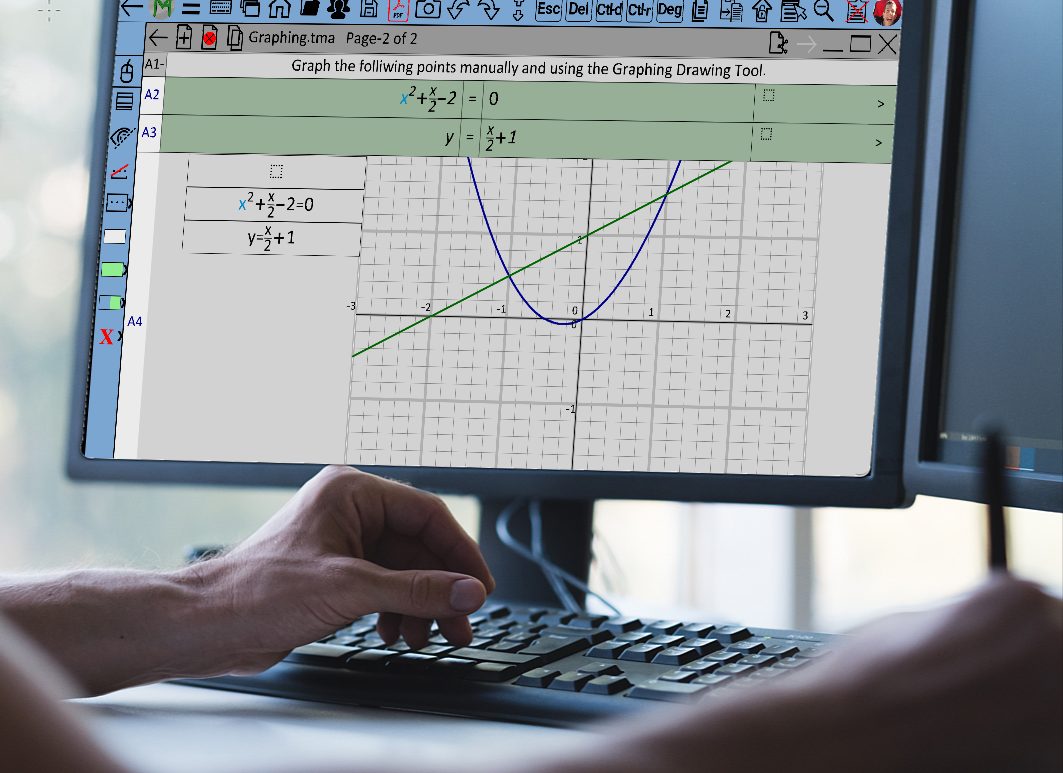
Spend your time on the math.
Fewer mistakes
Copy terms instead of retyping them. Many errors happen when numbers are copied by hand, and this removes most of that.
Less writing, more learning
Spend your time on the math, not the writing. Less typing means faster solutions that are easy to read.
Help when you need it
Connect instantly with a teacher or tutor using LiveShare, so you are not stuck waiting.
Instant feedback
Click the Grade button  to get feedback on your work so far.
Copy. Modify. Paste. Grade.
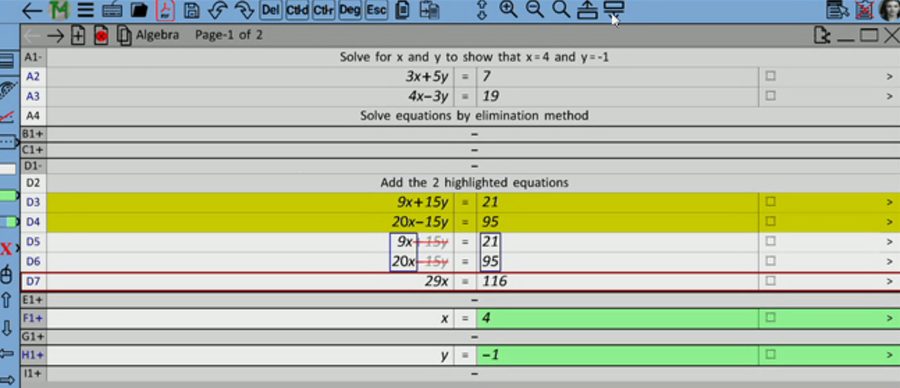
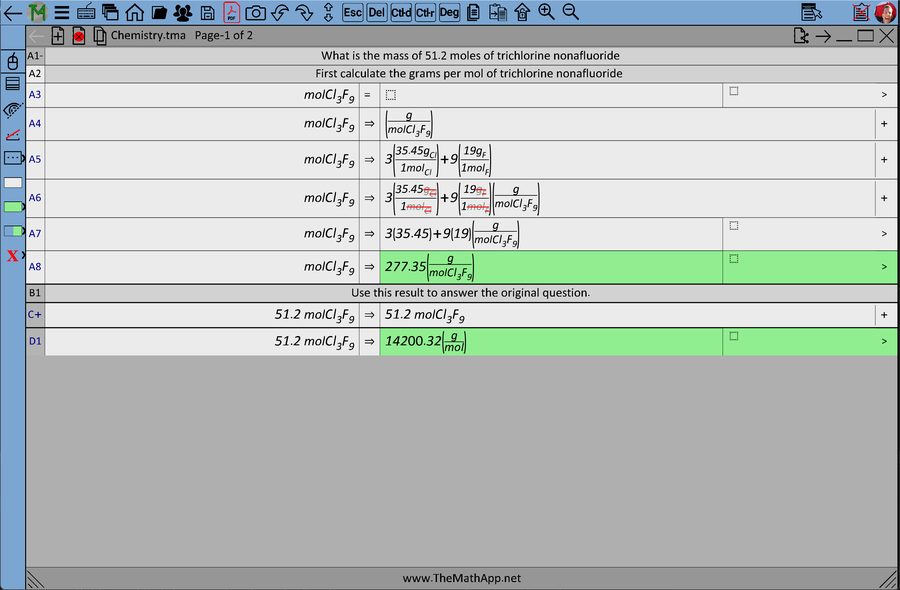
- Copy terms by selecting terms used previously.
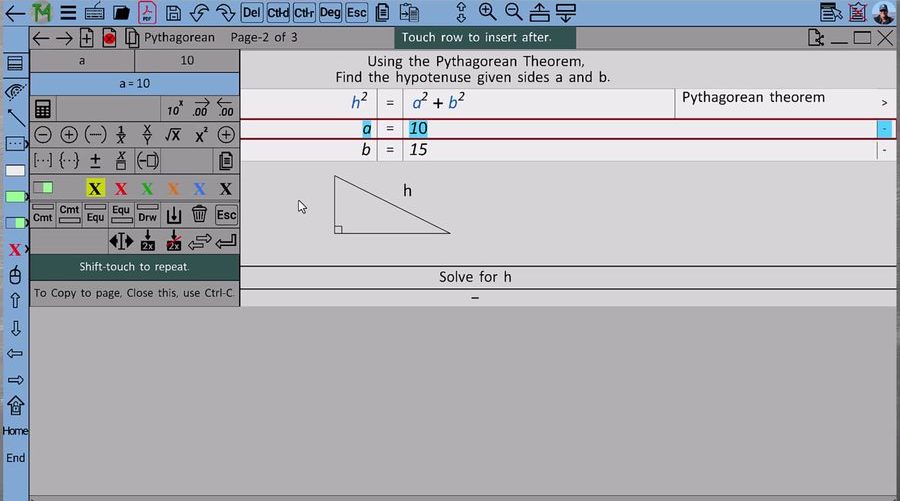
Right-click to open the Context Menu with selected terms. - Modify the terms using the buttons in the Context Menu.
Wrap it in parentheses, create a fraction, color the text.
Our examples use green for inserted terms. - Paste the result by touching the equation. Holding the Shift key keeps the menu open for multiple touches, like pasting to both sides of an equation.
- To Red-line terms for cancel, select them and press Del.
- Duplicate the row, removing the red-lined terms: press Ctrl/Cmd+D or Dup.
- Calculate selected terms and insert the result: press Ctrl/Cmd+R or Calc.
- Grade your work so far: click the Grade button to get feedback.

- Get help fast. LiveShare connects you to your teacher or tutor in real time. They can see your work and help you while you solve the problem, not days later.
- Works on your device. Windows, Mac, Android, iOS and Chromebook. Use the one you have.
- Turn in clean work. Print or turn in your assignments as a PDF.
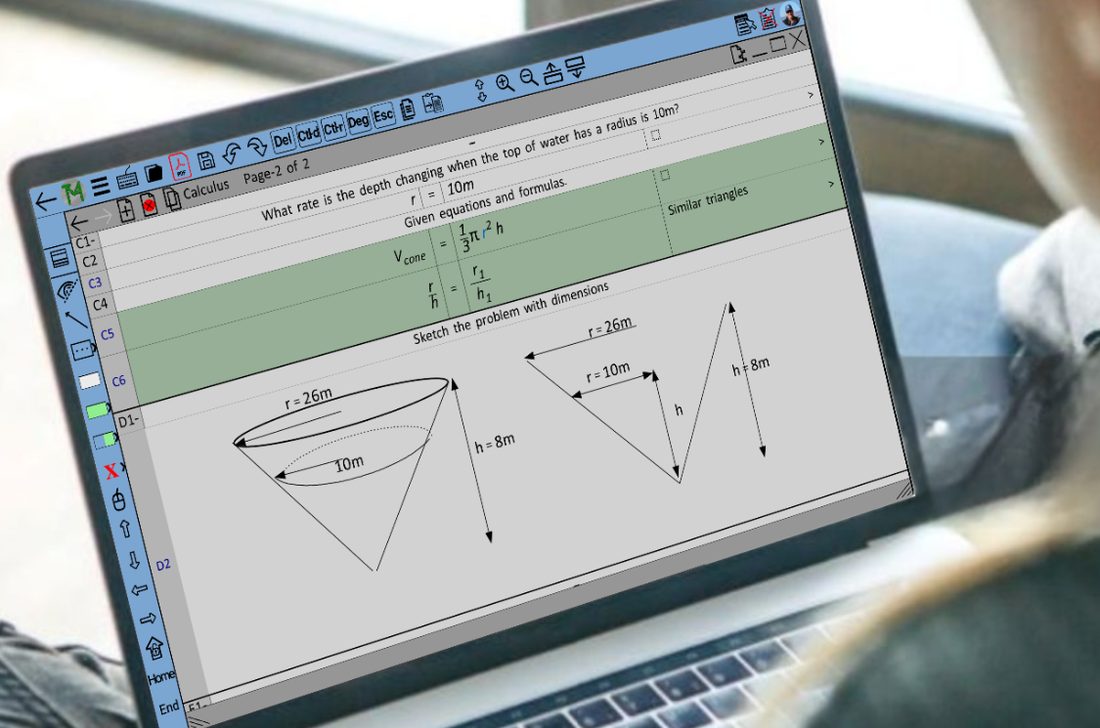
Watch one, then work one.
Try it free for 1 month.
No credit card required. Install the app, then create an account from the sign-in screen.

The Mac version runs on macOS Monterey or later.
Not sure which Mac you have? Click the Apple menu, choose "About This Mac". Apple Silicon is M1 or newer.